¶ Physics
In Patchworld any block can be turned into a rigidbody and react to collisions, gravity, thrusters, fields, joints and so on. Physics is opt-in: nothing is physical by default, and you build a physics setup by combining a few dedicated blocks rather than toggling a per-block flag.
This page is the entry point to the physics ecosystem. For articulated machines (rotational or linear constraints), see also Joint & Piston System.
¶ Make a block physical
The Make Physical block is the entry point. Connect it to one or more blocks via its tag input and they instantly become rigidbodies (mass, drag, gravity, magnet, friction, bounciness).
Its inspector exposes:
- Is Static: the block becomes a kinematic obstacle (can collide but never moves).
- Throwable: the block keeps the velocity of the controller when released, allowing it to be thrown.
- Good Quality Physic: switches to continuous collision detection (better for fast-moving objects, more expensive).
- Friction Behavior / Bounciness Behavior: how the surface materials of two colliding blocks are combined (Average, Multiply, Minimum, Maximum).
- Affects Player: the local player is added to the connected blocks and is also affected by the same physics settings.
For finer or runtime controls (freeze, reset, kill velocity, multiplayer ownership), use Make Physical Extra.
¶ Apply forces
Several blocks emit forces on physical rigidbodies:
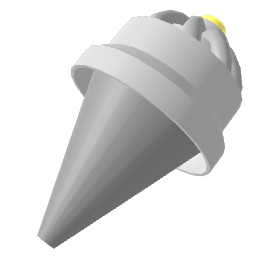 Thruster: continuous or impulse force in its forward direction. Useful for rockets, propellers, jet packs, hover crafts.
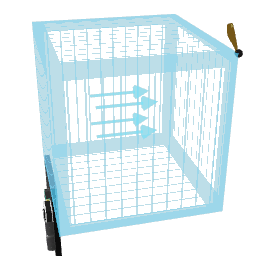 Field: force volume that affects all rigidbodies inside its resizable box. Direction modes: Unidirectional, Outward, Whirling. Trigger modes: Continuous, Jolt, Enter, Exit. Can be set Global to apply to the entire world (wind, gravity, attractor, vortex...).
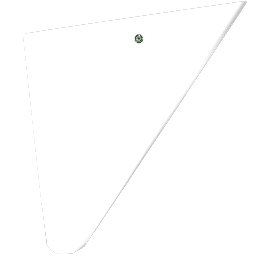 Wing: aerodynamic lift along the wing's up axis, proportional to angle of attack and velocity. Useful for planes, gliders, kites.
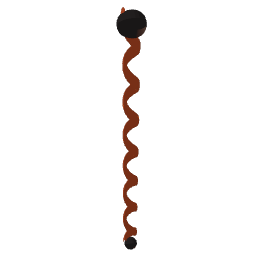 Gravity: tweak the global gravity of the world.
¶ Detect & react to collisions
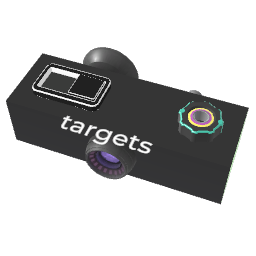 Make Hittable: emit jolts when a connected block is hit. Outputs the impact velocity and tag references to both colliders. Use to build drums, hit boxes, breakables, scoring zones, and damage systems. Also supports blocking physical players (acts as ground/wall).
 Ray Cast: cast a ray (or thick sphere) forward and detect the first block(s) it touches. Outputs the hit blocks, distance, and exposes a movable part placed on the contact point oriented along the surface normal.
¶ Articulated machines (constraints)
For rotational or linear links between two parts, use the joint family. Both blocks must be inside (or connected to) physical groups.
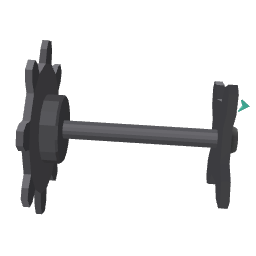 Joint: rotational link between two parts. Foundation for hinges, ball joints, robotic arms, joysticks, wheels.
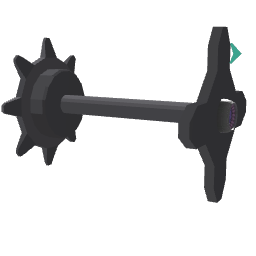 Piston: linear (sliding) link between two parts. Foundation for pistons, suspensions, sliders, springs, telescopic arms.
See Joint & Piston System for a full breakdown of drives, limits and outputs.
¶ Tweaks & runtime control
 Make Physical Extra: runtime controls for already-physical blocks (kill velocity, kill rotation, freeze, reset to edit position, force sync, assign player in charge).
 Center Of Mass: override where the rigidbody's center of mass is, to balance vehicles, change the rotation pivot, or stabilize physics objects.
¶ What does NOT mix with physics
A few blocks directly drive an object's position or rotation every frame. When their target is also a rigidbody, they overwrite the physics motion at every frame, which kills any velocity coming from collisions, gravity, thrusters, etc. As a rule of thumb, do not combine these with physics on the same block:
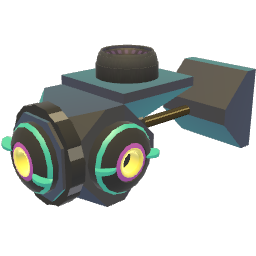 Rail and Rotor
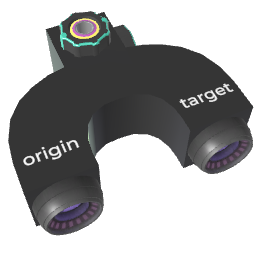 Set Position and Set Rotation
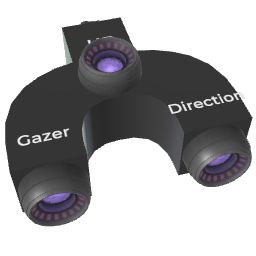 Set Look At and Follow
If you need to move a physical block to a target position/rotation while keeping physics behavior (collisions, inertia), prefer using a Joint or Piston configured with a target position drive, or a Thruster wired with a feedback loop.
¶ Multiplayer physics
Physics simulation runs locally on each player. To stay consistent across the network, only one player at a time is in charge of a given physical block (typically whoever interacted with it last). Other players see a small delay.
- Use Make Physical Extra's Player In Charge tag input to explicitly assign which player simulates the physics for given blocks.
- Use Sync Now to force-broadcast the current state to other players (only works if you are in charge or have recently interacted).
¶ Tips
- Wire a Make Physical's tag input through a Block Foreach or All With Variable to declare many blocks physical at once.
- Lower the Mass (or enable Ignore mass on the force blocks) to make objects feel more responsive.
- For very fast-moving blocks, enable Good Quality Physic to avoid tunneling through walls.
- For two-body devices with a rotational pivot (doors, levers, wheels, robotic arms), prefer a Joint inside a physical group instead of stacking many Make Physical + math blocks.
- Combine Make Physical with Make Hittable on the same block to get both real collisions and jolt outputs on impact.
- Use Center Of Mass to stop vehicles from flipping over by lowering their effective center of gravity.