¶ Thruster
Category: 🚀 Motion
¶ Description
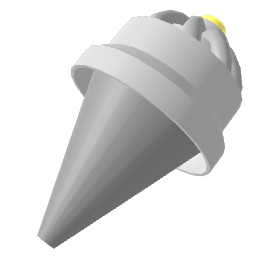
Apply a directional force to the physical group it is attached to. Power is set via the jolt input (in newtons by default).
Place the Thruster inside a physical group (or attach it to a physical block) to push that group along the thruster's nose direction. Useful for rockets, jet packs, propellers, hover crafts, and any propulsive mechanism.
By default, the jolt value is interpreted as a continuous force in newtons. Switch to Is impulse in the Inspector to fire a one-shot impulse on every jolt instead. Enable Ignore mass to apply the thrust as Acceleration (or VelocityChange when impulse), so heavier groups accelerate at the same rate as lighter ones.
The block automatically requests a rigidbody from the most suitable parent: if the thruster is alone it makes itself physical; if it's nested inside a physical group it pushes that group at its position.
¶ Related Wiki Pages
¶ Inputs, Outputs and Parts
¶ Inputs
| Name | Type | Description |
|---|---|---|
| Thrust power | Jolt Input | Force applied along the thruster's forward axis. Interpreted in newtons by default, or as an impulse if Is impulse is enabled in the Inspector. |
¶ Inspector Controls
| Name | Type | Description |
|---|---|---|
| Ignore mass | checkbox | When ON, the thrust is applied as Acceleration (or VelocityChange in impulse mode) so it ignores the rigidbody's mass. |
| Is impulse | checkbox | When ON, each jolt fires a single impulse and the thrust resets to 0. When OFF, the thrust is applied continuously every frame as long as the jolt value stays non-zero. |