¶ Wing
Category: 🚀 Motion
¶ Description
Gives basic aerodynamics to a physical group: the more the wing is tilted relative to its motion direction, the more lift and drag it generates along its 'up' axis.
Place the Wing inside a physical group (vehicle, plane, glider, kite...). Each frame, the block measures how the group's velocity projects onto the wing's local 'up' axis (angle of attack) and applies a force at the wing's center of lift in that direction. The faster the group moves and the steeper the angle of attack, the more lift (and drag) is produced, mimicking a real airfoil.
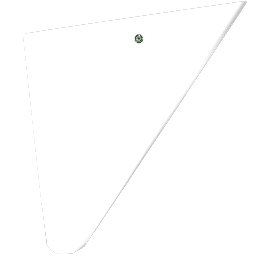
The Lift dial multiplies the resulting force. Pick one of several wing shapes in the Inspector (Square 1, Square 2, Delta, Trapezoid) to change the visual mesh and grab area; the physics behavior itself is identical between shapes. Enable Ignore mass to apply lift as Acceleration so wing performance does not depend on the vehicle's weight.
¶ Related Wiki Pages
¶ Inputs, Outputs and Parts
¶ Inputs
| Name | Type | Description |
|---|---|---|
| Lift | Jolt Input with Dial | Multiplier of the lift/drag force generated by the wing. Higher values produce stronger aerodynamic response. |
¶ Inspector Controls
| Name | Type | Description |
|---|---|---|
| Delta | select_button | Selects the wing's 3D mesh and grab area (Square 1, Square 2, Delta, Trapezoid). Visual only - the aerodynamic behavior is the same for all shapes. |
| Ignore mass | checkbox | When ON, lift is applied as Acceleration so the wing performance does not depend on the vehicle's mass. |