¶ Follow
Category: 🚀 Motion
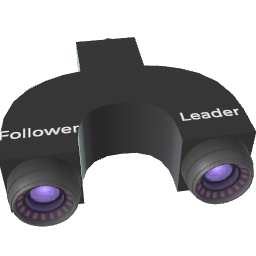
¶ Description
Makes the connected "Followers" track a moving "Target" block. Factor controls how strongly they follow (0 = ignore, 1 = stick to it). Inspector options let you affect position, rotation and tilt independently, and even include the player.
Useful for vehicles, attached props, parented cameras or to give a player a ride on a moving block. With "Followers keep their offset" enabled, the followers preserve their initial relative position and rotation rather than snapping onto the target. Enable "Affect Player" to make the local player follow the target as well.
¶ Related Wiki Pages
¶ Inputs, Outputs and Parts
¶ Inputs
| Name | Type | Description |
|---|---|---|
| Followers | Tag Input | Blocks that will follow the target. |
| Target | Tag Input | Moving block that the followers will track. |
| Factor | Jolt Input with Dial | How strongly the followers track the target each frame (0: not at all, 1: stick to it). Lower values create a smooth lag effect. |
¶ Inspector Controls
| Name | Type | Description |
|---|---|---|
| Followers keep their offset | checkbox | When enabled, followers preserve their relative position and rotation to the target instead of snapping onto it. |
| Affect Position | checkbox | If enabled, the followers' position is updated to track the target. |
| Affect Tilt | checkbox | If enabled, vertical tilt (pitch/roll) is copied from the target. Disable to keep followers upright. |
| Affect Rotation | checkbox | If enabled, the followers' rotation is updated to match the target. |
| Affect Player | checkbox | If enabled, the local player is added to the list of followers, allowing them to ride the target. |
| Restore player tilt when turned off | checkbox | When Affect Player is on and the factor returns to 0, automatically realign the player's view to the horizon. |