¶ Reading Player Inputs & Movement
This guide explains how to capture player button presses, joystick axes, controller positions, and movement data inside Patchworld patches. It covers both local and multiplayer scenarios.
¶ The Core Block: Controller Output
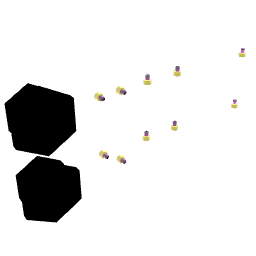
Controller Output is the main block for reading raw controller state. It exposes jolt outputs for every physical input on the headset controllers:
| Output | Description |
|---|---|
| Trigger Right / Left | Analog value 0–1 (how far the trigger is squeezed) |
| Grip Right / Left | Analog value 0–1 |
| Button A / B Right | 1 when pressed, 0 when released |
| Button A / B Left | 1 when pressed, 0 when released (X/Y on Quest) |
| Right / Left Joy X | Horizontal joystick axis, -1 to 1 |
| Right / Left Joy Y | Vertical joystick axis, -1 to 1 |
| Right / Left Joy Pressed | 1 when joystick is clicked |
| Head Distance Right / Left | Distance in meters between that controller and the head |
| Distance Between Controllers | Distance in meters between both controllers |
Every output fires a jolt whenever the value changes (i.e. continuously while the axis is moving, once on button press/release).
¶ Targeting a Specific Player
By default, Controller Output reads the local player's controllers. In a multiplayer session, connect a player Tag (e.g. the "All Players" output of the Players block → Block Foreach → Controller Output "Input Player") to read another player's input.
[!WARNING]
Remote player input is replicated over the network. Expect slight latency. Button presses are available, but use them for game logic, not audio-rate signals.
¶ Overriding Default Actions
The Inspector for Controller Output has checkboxes like "Uses Right Button A", "Uses Right Trigger", etc.
When checked, the corresponding input is captured by this block and the original Patchworld action is suppressed for the local player:
| Checkbox | Original action suppressed |
|---|---|
| Uses Button A | Opens the Radial Menu |
| Uses Button B | Opens the Main Menu |
| Uses Trigger | Interacts with dials and buttons |
| Uses Joystick X | Turns the player |
| Uses Joystick Y | Thrusts the player forward/backward |
| Uses Joystick Click | Joystick click action |
[!IMPORTANT]
Only check these when you intentionally want to take over a button. In particular, overriding Button B on the left controller will prevent players from opening the Main Menu — make sure your world still provides a way out (e.g. a visible button wired to awarp_homeExecute command).
¶ Accessing Body Parts (Head, Hands, Feet)


The Players block outputs player references as Tags. To work with individual body parts, pipe one of these Tag outputs into Get SubPart:
[ Players ] -- Local Player --> [ Get SubPart (index) ] --> [your block's Tag input]
Once a player is connected to Get SubPart's "Input Block", the block displays the name of each available sub-part next to its index number. Common player sub-part indices:
| Index | Part |
|---|---|
| 0 | Player root (whole body) |
| 1 | Head (HMD) |
| 2 | Right hand / controller |
| 3 | Left hand / controller |
[!TIP]
Sub-part indices may vary. Always connect a player first and read the labels that appear on the Get SubPart block to confirm the correct index.
¶ Reading Player Speed & Movement

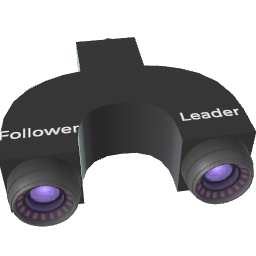
The Speedometer block measures the speed of whatever block it is inside (as a Group/Device member). To measure a player's hand speed:
- Spawn a Speedometer block.
- Spawn a Follow block next to it.
- Connect the right hand part (Get SubPart index 2) to the Follow block's Target input.
- Connect the Speedometer itself (or any block inside the same group) to the Follow block's Followers input, so the Speedometer follows the hand.
- The Speedometer's Speed output now emits the hand's speed in m/s.
[ Players ] -- Local Player --> [ Get SubPart (index 2) ] --> [ Follow / Target ]
                                                                      |
[ Speedometer ] <-- Follow / Followers ---------------------------+
       |
       +-- Speed (m/s) --> [your logic]
You can also track the head (index 1) to detect if the player is nodding or moving their head quickly.
¶ Per-Axis Speed
The Speedometer also exposes per-axis speed and acceleration (X, Y, Z), which is useful for detecting:
- Vertical movement (Y axis): jumping, crouching
- Horizontal movement (X/Z axes): strafing, running direction
¶ Detecting If a Player Is Looking at Something
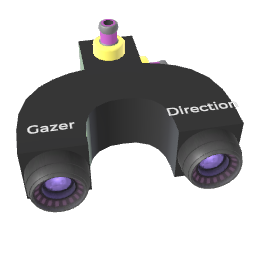
Block Get Look outputs the angle between a block's forward axis and the direction to a target. This is ideal for gaze detection:
Example: detect when Player A's head is looking at Player B's head
[ Players ] -- Local Player --> [ Get SubPart (head, idx 1) ] --> [ Block Get Look / Origin ]
[ Players ] -- All Players  --> [ Block Foreach ] --> [ Get SubPart (head, idx 1) ] --> [ Block Get Look / Targets ]

[ Block Get Look ] -- Angle Z --> [ Compare: < 30 ] --> [fire event when looking]
Angle Z is the key output: 0° means the origin is looking straight at the target; 90° means perpendicular; 180° means looking the other way.
Use a Compare block with threshold ~30° to detect "is looking at".
[!TIP]
In multiplayer, each player sees their own Local Player output — so a gaze check on "Local Player looking at All Players" naturally runs per-player without extra logic.
¶ Controller Rotation
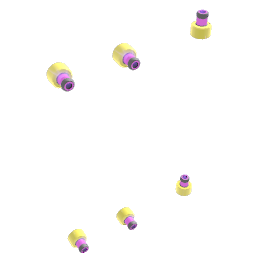
Controller Rotation outputs the world-space Euler angles (X, Y, Z) of each controller every frame. Use it to detect wrist orientation, tilt, or to drive rotation-based instruments.
[ Controller Rotation ] -- Right Y --> [ Map Jolt: 0–360 -> 0–1 ] --> [ Oscillator Frequency ]
¶ Multiplayer: Reading Other Players' State
In multiplayer, the Players block provides several useful Tag outputs:
- Local Player: yourself (each player in the room sees their own player here).
- All Players: every player including yourself.
- Nearest Player: the player closest to the Players block's position.
Pipe any of these into a Controller Output "Input Player" to read that specific player's buttons and joysticks, or into Get SubPart to access their body parts.
Example: detect if any player is pressing trigger
[ Players ] -- All Players --> [ Block Foreach ]
                                      |
                               Output Block --> [ Controller Output / Input Player ]
                                                        |
                                              Trigger Right --> [ any action ]
¶ Cheat Sheet
| Goal | Blocks |
|---|---|
| Read buttons / trigger / grip | Controller Output |
| Override a button (prevent default Patchworld action) | Controller Output Inspector checkboxes |
| Get controller rotation angles | Controller Rotation |
| Vibrate the controllers | Haptic Control |
| Access a player's head or hand as a block | Players → Get SubPart |
| Measure movement speed of a hand or block | Follow + Speedometer |
| Detect if one block is facing another | Block Get Look |
| Target a specific player's inputs | Players → Controller Output "Input Player" |