¶ Make Hittable
Category: 🚀 Motion
¶ Description
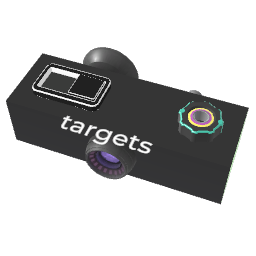
Detect collisions on connected blocks. Outputs the impact velocity and tag references to both colliding blocks.
Make connected blocks emit a jolt every time something collides with them: another physical block, a player controller, or a player body. Useful to build percussion instruments, breakable objects, hit-detection on weapons, scoring zones, etc.
- Hit velocity outputs the magnitude of the relative impact velocity.
- Collider A is one of the connected (input) blocks that was hit.
- Collider B is the other block (or controller) that hit it.
The Minimum velocity filter ignores gentle contacts. The Inspector lets you enable/disable hits coming from controllers or other physical blocks, make the block punchable (gets pushed back when hit), block physical players (acts as ground/wall), or restrict the allowed impact direction.
Make Hittable can be used on its own (no rigidbody needed) but can also be combined with Make Physical for full collision behavior.
¶ Related Wiki Pages
¶ Inputs, Outputs and Parts
¶ Inputs
| Name | Type | Description |
|---|---|---|
| Blocks to make hittable | Tag Input | Click and drag to a block to make it hittable. |
| Minimum velocity | Jolt Input with Dial | Minimum impact velocity (m/s) required for a collision to be considered a hit. |
| Enable Collision | Jolt Input | Turn collisions on/off via jolt (>0.5 = enabled). When OFF, the jolt output still fires but blocks no longer push each other. |
¶ Outputs
| Name | Type | Description |
|---|---|---|
| Hit velocity | Jolt Output | Outputs the relative impact speed (m/s) when a collision occurs. |
| Collider B | Tag Output | Tag output: the OTHER block (or controller) that collided with one of the connected blocks. |
| Collider A | Tag Output | Tag output: which one of the connected (input) blocks was hit. |
¶ Others
| Name | Type | Description |
|---|---|---|
| Collided with | Container of both Tag outputs (Collider A and Collider B). | |
| Enable Collision | Toggle Button | Turn collisions on/off. When OFF, the jolt output still fires when a block goes through, but blocks no longer push each other. |
¶ Inspector Controls
| Name | Type | Description |
|---|---|---|
| Block physical players | checkbox | When ON, players that have been made physical (e.g. via Make Physical's Affects Player option) cannot pass through the connected blocks. Useful to build ground, walls or solid environments. |
| Output controllers hits | checkbox | When ON, hits coming from a player's controller (hand) trigger the outputs. |
| Output physical blocks hits | checkbox | When ON, hits coming from another physical block (rigidbody) trigger the outputs. |
| Punchable | checkbox | When ON, the connected blocks receive an impulse equal to the relative hit velocity (gets pushed back when struck, like being punched). |
| Possible hit direction | dropdown | Restricts which local axis the incoming object must be moving along to be considered a valid hit. Use this to make one-sided hit detection (e.g. only top side of a drum). |