¶ Preset Manager
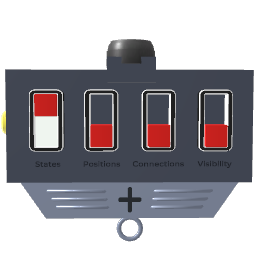
The Preset Manager block saves and recalls snapshots of connected blocks' states. It works like a scene-state recorder: you register blocks as subjects, capture their current configuration into named presets, and restore them later — with smooth transitions for position changes.
¶ How to use
- Spawn a Preset Manager block.
- Drag the Add Blocks handle onto any blocks you want to include. Every registered block will have its state captured in every preset.
- Click the Add/Remove Preset handle (or drag it downward) to create preset rows. Each row has a name label and buttons.
- Use the row buttons to write (capture current state) or apply (restore) each preset.
- Use the four toggle switches to choose what gets restored on apply: values, position/rotation, connections, and visibility.
- Set the Transition Time dial to animate position changes smoothly over time instead of snapping instantly.
¶ What gets saved
Each preset stores a compressed snapshot of every registered block. The restore toggles allow selective recall:
| Toggle | What it restores |
|---|---|
| Restore Values | Parameter values, knob positions, and internal states |
| Restore Position | Position and rotation (interpolated if Transition Time > 0) |
| Restore Connections | Wire connections between blocks |
| Restore Visibility | Visible / hidden state |
¶ Automating presets via jolts
The Preset Select and Preset Operation jolt inputs let you drive the preset manager from other blocks (buttons, metronomes, logic blocks, etc.).
- Send the target preset index (0-based) to Preset Select.
- Send an operation code to Preset Operation:
0— Apply the preset (restore saved states to connected blocks).1— Write the preset (overwrite it with the current states of connected blocks).2— Delete the preset.
If you send a Write operation with an index beyond the current number of presets, the manager automatically creates the missing rows up to that index.
¶ Related blocks
 Set Visible: show/hide blocks, can be saved inside a preset.
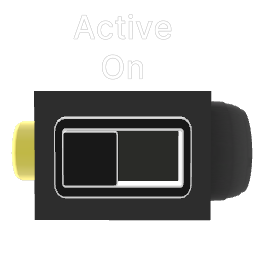 Set Active: activate/deactivate blocks entirely.
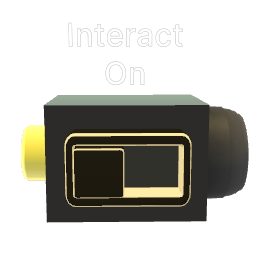 Set Interactive: enable/disable player interaction on blocks.
 Set Variable / Get Variable: store and recall arbitrary values across the patch.