¶ Set Visible
Category: ⚙️ System
¶ Description
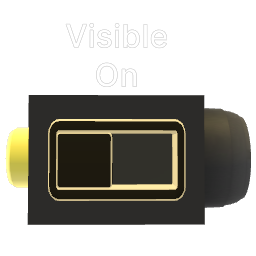
Shows or hides the target blocks. Send a jolt ≥ 0.5 to make visible, < 0.5 to hide. Unlike Set Active, hidden blocks continue to run their logic, physics, and audio.
When a new block is added to the selection, it immediately takes on the current visibility state. The toggle can also be used to flip visibility manually without a jolt. Newly added blocks automatically pull in all their sibling parts when connected from outside a group (for backward compatibility).
¶ Inputs, Outputs and Parts
¶ Inputs
| Name | Type | Description |
|---|---|---|
| Set Visibility State | Jolt Input | Shows or hides all target blocks. Send ≥ 0.5 to show, < 0.5 to hide. |
| Add Target Block | Tag Input | Drag onto blocks to add them to the selection. |
¶ Others
| Name | Type | Description |
|---|---|---|
| Target Blocks | The blocks whose visibility is controlled by this block. | |
| Visibility State | Toggle Button | Current visibility state. Click to toggle visible/hidden immediately. |