¶ Set Animation
Category: 🎨 Visual
¶ Description
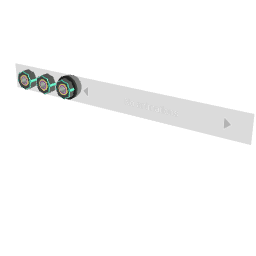
Play a 3D model's built-in animations with control over weight, layer and playback time. Targets any tagged 3D model or a group of models.
Tag the 3D model (or a group containing several), then use Previous/Next to pick which animation clip to drive. Weight blends the animation in (0 = off, 1 = full); Layer sets priority when several Set Animation blocks affect the same target; Playback Time scrubs the clip (0-1 normalised by default, or in seconds via the inspector toggle). Enable Additive animation to layer on top of other clips instead of replacing them.
¶ Inputs, Outputs and Parts
¶ Inputs
| Name | Type | Description |
|---|---|---|
| Weight 0-1 | Jolt Input with Dial | How strongly the animation is blended in (0 = invisible, 1 = full effect). |
| Layer | Jolt Input with Dial | Animation layer (positive whole number). Higher layers override lower ones when two animations affect the same bones. |
| Playback Time | Jolt Input with Dial | Scrubs the animation. Default range is 0-1 (normalised). Disable 'Use 0-1 play time' in the inspector to drive it in seconds, which preserves the clip's original speed. |
| Select 3D Model | Tag Input | Tag a 3D model with animations, or a group containing multiple 3D models. |
¶ Others
| Name | Type | Description |
|---|---|---|
| Previous | Interactible | Step to the previous animation clip available on the tagged model(s). |
| Next | Interactible | Step to the next animation clip available on the tagged model(s). |
¶ Inspector Controls
| Name | Type | Description |
|---|---|---|
| Use 0-1 play time | checkbox | When on, Playback Time is treated as a normalised 0-1 progress through the clip. When off, the value is read as seconds, preserving the clip's original speed. |
| Additive animation | checkbox | Plays the animation additively on top of any other clips already running on the target instead of replacing them. |