¶ Set Material
Category: 🎨 Visual
¶ Description
Apply materials and textures to other blocks. Drag the Block Select tag to target blocks, then pick a material from the library and tweak its parameters in the panel.
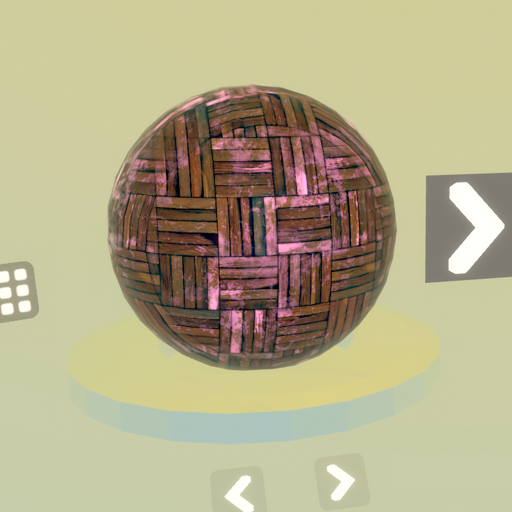
Material editor with library browsing, sub-mesh selection, and full PBR shader parameter control. Choose a material from the built-in library (metal, wood, rock, glass, fabric...), select which sub-meshes of the target block(s) are affected, and adjust color, roughness, metallic, normal map, emission, transparency, displacement and more. Spawn a Material Brush to easily reapply the material to other blocks. Custom textures from a Snapshot block can be plugged into the texture inputs. When Set Material is spawned, it will spawn the panel (set_material_pbr) as an independent sub-block, automatically attached and synchronized with this block.
¶ Inputs, Outputs and Parts
¶ Inputs
| Name | Type | Description |
|---|---|---|
| Shader Editor | Tag Input | Internal connection to the material panel (set_material_pbr). Automatically linked when the block is spawned. Connecting a different shader editor will swap the panel. |
| Block Select | Tag Input | Drag and drop to any block to apply the current material to it. Connect a tag output to apply the material to multiple blocks at once. |
¶ Others
| Name | Type | Description |
|---|---|---|
| Previous | Interactible | Load the previous material from the library (any unsaved changes will be lost). |
| Next | Interactible | Load the next material from the library (any unsaved changes will be lost). |
| Mesh Select | Interactible | Toggle which sub-meshes of the target block(s) receive the material. If nothing is selected, the material is applied to every mesh of the block. |
| Close | Interactible | Hides the material editor panel. The materials applied to target blocks remain. The panel can be reopened from a Material Brush spawned by this editor. |
| Spawn Brush | Interactible | Spawns a Material Brush block linked to this editor. Use it to quickly paint the current material onto other blocks. |
¶ Inspector Controls
| Name | Type | Description |
|---|---|---|
| Realistic Reflection | checkbox | When enabled, the applied material samples the world's main reflection probe for realistic environment reflections. Disable for a more stylized look and to save GPU performance. |
| Keep blocks' color | checkbox | When enabled, the original color of the target block is preserved and tinted onto the applied material instead of being replaced by the material's own color. |