¶ Material Brush
Category: 🎨 Visual
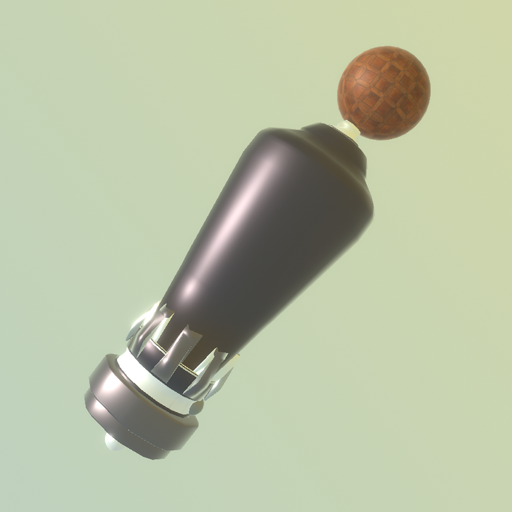
¶ Description
Hand-held brush that paints other blocks with materials. Hover to preview, pull the trigger to apply.
Grab the brush and sweep over blocks to preview a material; pull the trigger to permanently apply it. The back of the brush displays a palette of materials (one per set_material block in the patch); use the joystick left/right while held to cycle through them. Add new materials with the Add button, edit the active material with the Edit button, and remove it with the Remove button. The integrated color picker can optionally override the material's main color.
¶ Inputs, Outputs and Parts
¶ Others
| Name | Type | Description |
|---|---|---|
| Edit material | Interactible | Opens the currently selected material's set_material editor in front of the player. |
| Add new material | Interactible | Spawns a new set_material block and adds it to the palette. |
| Remove Material | Interactible | Removes the currently selected material from the patch. |
| Select material | Interactible | Rear button: hover to open the material palette. |
| Select material | Interactible | Material preview in the palette: click to select it as the active brush material. |
| Color Picker | Interactible | Pick the color used when 'Affect Color' is enabled. Painted blocks will receive this color in addition to the active material. |
| Main value | Dial | Dial controlling the currently selected material's main shader value (e.g. roughness, intensity — depends on the material). |
| Next | Interactible | Cycle to the next material in the palette. |
| Previous | Interactible | Cycle to the previous material in the palette. |
¶ Inspector Controls
| Name | Type | Description |
|---|---|---|
| Affect Color | checkbox | When enabled, the brush also applies the color from the integrated color picker on top of the active material. Serialization keyword: _overrideColor |