¶ Fader
Category: 🎚️ Interfaces
¶ Description
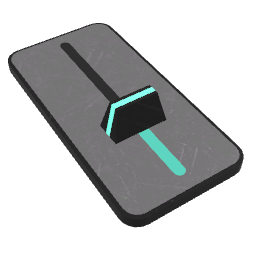
A vertical fader that emits jolts when its thumb is moved. Can map its output between custom Minimum and Maximum values, optionally on an exponential curve.
Drag the thumb up and down to set a value between 0 and 1. Each change is emitted as a jolt on the output. The jolt input sets the fader's value from elsewhere. Use the inspector to remap the output range (Minimum/Maximum) and to switch between linear and exponential scaling, which is useful for parameters like audio volume.
¶ Inputs, Outputs and Parts
¶ Inputs
| Name | Type | Description |
|---|---|---|
| Input | Jolt Input | Sets the fader's value. The incoming jolt is treated as a raw value in 0-1 range. |
¶ Outputs
| Name | Type | Description |
|---|---|---|
| Output | Jolt Output | Emits the fader's value whenever it changes, remapped through the Minimum/Maximum/Exponential inspector settings. |
¶ Others
| Name | Type | Description |
|---|---|---|
| Thumb | Draggable part | Press the trigger button and drag to change the fader's value. |
¶ Inspector Controls
| Name | Type | Description |
|---|---|---|
| Minimum | text_input | Minimum value of the output when the fader is at the bottom. Serialization keyword: min |
| Maximum | text_input | Maximum value of the output when the fader is at the top. Serialization keyword: max |
| Exponential | checkbox | When enabled, the output is mapped along an exponential curve (useful for parameters like volume that feel more natural on a logarithmic scale). Serialization keyword: exp |