¶ Bubble Maker
Category: 🎮 Controllers
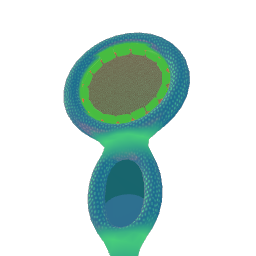
¶ Description
Records the incoming audio stream into a sample bubble that can be played by other blocks (Booper, Blooper, Bubble Player...). Get close or press the toggle to start recording.
Connect any audio source on the Input. Either bring your head close to the microphone or press the record toggle to arm it. While recording, a new sample bubble is being filled with the input audio (up to a maximum recording length). Once you stop, the bubble is spawned and can be grabbed and dropped into other sample-consuming blocks. Useful to capture mic input, oscillators or any other audio stream into a reusable bubble.
¶ Inputs, Outputs and Parts
¶ Inputs
| Name | Type | Description |
|---|---|---|
| Input | Stream Input | Input audio to record. |
¶ Outputs
| Name | Type | Description |
|---|---|---|
| Ready to record | Jolt Output | Outputs a jolt when ready to record. Either because the player is close or because they pressed the record toggle. |
| Is recording | Jolt Output | Outputs a 1 when the fluidmic. starts recording and 0 when it stops. |
¶ Others
| Name | Type | Description |
|---|---|---|
| Record toggle | Interactible | Press and hold down trigger to record audio. Release trigger to stop recording. |