¶ Bubble Player
Category: 🔊 Audio
¶ Description
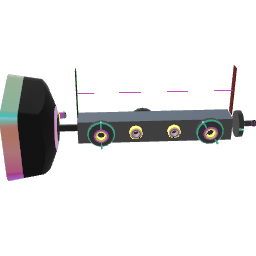
Plays an audio sample from an inserted Bubble. Provides wired inputs for play, stop, pitch control, and audio output for patching.
¶ Related Wiki Pages
¶ Inputs, Outputs and Parts
¶ Inputs
| Name | Type | Description |
|---|---|---|
| Play | Jolt Input | Send a jolt to start playback. |
| Stop | Jolt Input | Send a jolt to stop playback. |
| Set begin time | Jolt Input | Set the point where playback should start (in seconds). |
| Set end time | Jolt Input | Set the point where playback should stop (in seconds). |
| MIDI Note or Playback Speed | Stream Input | You can switch mode, from MIDI Note to Playback Speed, using the inspector. - MIDI Note: input is midi semitones. Midi note 60 (C4) = original speed. - Playback Speed: input will be the speed of the sample. 1x = original speed. |
| Gain | Stream Input | Controls how loud the output audio is. |
| Cursor | Stream Input | Directly controls the playback position of the audio (in seconds). Used in advanced patching by those who want complete control over the audio playback. |
| Load Bubble | Tag Input | Drag a bubble here to select it as the active sample (requires Show Bubble Selector to be enabled in inspector). |
¶ Outputs
| Name | Type | Description |
|---|---|---|
| Begin time | Jolt Output | Emits the sample start position (in seconds) when start time changes, and on playback start. |
| End time | Jolt Output | Emits the end point (in seconds) when end time changes, and on playback start. |
| Playback done | Jolt Output | Emits a jolt when the playback reaches the end point. Connect to the 'Play' input to enable looping. |
| Bubble placed | Jolt Output | Emits a jolt with value 1 when a bubble is placed and value 0 when a bubble is removed. |
¶ Others
| Name | Type | Description |
|---|---|---|
| Receptacle | Sub Part | Place a bubble here to connect it to the player. |
| Playback cursor | Interactible | Shows what part of the audio is currently being played. Drag to scrub through the audio. |
| Begin time | Interactible | Begin time indicator. Grab to move. |
| End time | Interactible | End time indicator. Grab to move. |
¶ Inspector Controls
| Name | Type | Description |
|---|---|---|
| Fade time (ms) | text_input | Duration of the fade-in and fade-out applied at play and stop, in milliseconds. |
| Use Midi Input | checkbox | When enabled, the MIDI Note or Playback Speed input is interpreted as a MIDI note number (60 = original pitch). When disabled, it is a direct playback speed multiplier. |
| Show Bubble Selector | checkbox | Shows a bubble selector panel for loading samples from your inventory. |