¶ Magic Window
Category: 🎨 Visual
¶ Description
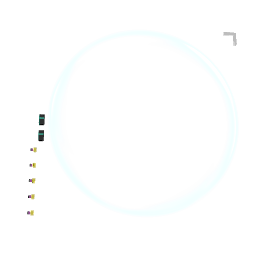
Used with the Mixed Reality block, Magic Windows snap to walls when the world loads and reveal the virtual scene through them. Useful to place devices and UIs on real walls. Also acts as a laser pointer canvas, exposing pointer coordinates and trigger events for distant interaction.
Combine with the mixed_reality block: when Snap On Load is enabled, every Magic Window in the patch will automatically attach itself to a detected wall on world load. Players can point at the canvas with their controller to interact: x and y outputs report the normalized hit position, hover and trigger emit pointer events, and onHit emits the impact speed when a marble or controller collides with the window. Resize via the corner handle when Resizable is on.
¶ Inputs, Outputs and Parts
¶ Inputs
| Name | Type | Description |
|---|---|---|
| Active | Jolt Input with Dial | Activate (1) or deactivate (0) the laser pointing at this canvas. |
| Resizable | Jolt Input with Dial | Enable (1) or disable (0) resizing the window via its corner handle. |
¶ Outputs
| Name | Type | Description |
|---|---|---|
| x | Jolt Output | Emits the normalized (0 to 1) x coordinate of where you're pointing on the canvas. |
| y | Jolt Output | Emits the normalized (0 to 1) y coordinate of where you're pointing on the canvas. |
| hover | Jolt Output | Emits 1 when the controller starts pointing at the canvas and 0 when it stops. |
| trigger | Jolt Output | Emits 1 while the trigger is pressed on the canvas, 0 when released or when leaving the canvas. |
| hit | Jolt Output | Emits the impact speed when a marble or controller physically hits the window. |
¶ Others
| Name | Type | Description |
|---|---|---|
| Resize | Draggable part | Drag with the trigger to resize the canvas (only when Resizable is enabled). |
| Canvas | Interactible | Point your controller at the canvas to interact with it. Emits the pointer's coordinates and trigger events. |
¶ Inspector Controls
| Name | Type | Description |
|---|---|---|
| Distance limit | text_input | Maximum distance (in meters) at which the laser can interact with the canvas. |
| Resizable | checkbox | When enabled, the corner handle can be dragged to resize the canvas. |
| Snap On Load | checkbox | When enabled, the window automatically snaps to a detected wall when the world finishes loading (requires the mixed_reality block). |