¶ Camera (PC)
Category: 🎨 Visual
¶ Description
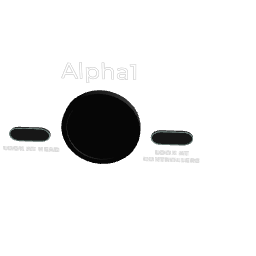
(Desktop/PCVR only) A virtual camera you can place in the world to drive the Desktop Camera view. Bind to an F-key to switch to it instantly, or trigger via jolt.
Place this camera anywhere to define a viewpoint for the Desktop Camera (the on-screen view broadcast or recorded outside VR). Each camera is auto-assigned an F-key shortcut (F1, F2, ...) to switch between them, and the active camera can be transitioned to via the 'Call Desktop Camera' jolt input. Optionally lock the camera to a player (head and/or controllers) to follow them. While the camera is active and Shift is held, the 0-9 keys set its transition duration in seconds.
¶ Inputs, Outputs and Parts
¶ Inputs
| Name | Type | Description |
|---|---|---|
| Call Desktop Camera | Jolt Input | Send a jolt to make the Desktop Camera transition to this camera's viewpoint. |
¶ Others
| Name | Type | Description |
|---|---|---|
| Look At Controller | Toggle Button | When on, the camera rotates to track the followed player's controllers. |
| Look At Head | Toggle Button | When on, the camera rotates to track the followed player's head. |
| Activate Camera | Button | Click to set this camera as the active Desktop Camera viewpoint. |
| Record | Toggle Button | Toggle recording from this camera's viewpoint to a video file. |
¶ Inspector Controls
| Name | Type | Description |
|---|---|---|
| Field of view | slider | Camera field of view in degrees (1-179). Serialization keyword: fov |
| Look At player ID | integer | ID of the player to follow when 'Look at head' or 'Look at controllers' is on (0 = first player, 1 = second, etc.). Serialization keyword: playerID |
| Look at head | toggle | When enabled, the camera rotates to track the followed player's head position. Bit 0 of the 'look_at' serialization field. |
| Look at controllers | toggle | When enabled, the camera rotates to track the followed player's controllers. Bit 1 of the 'look_at' serialization field. If both head and controllers are on, the camera averages between them. |