¶ Mask Panel
Category: 👨👩👧👦 Players
¶ Description
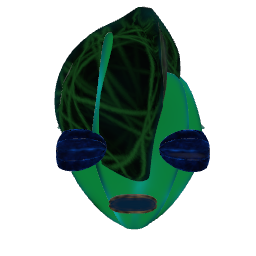
Panel of dials and color pickers to edit your player's avatar mask. Press Apply to save the changes, or Take Photo to update your profile picture.
This panel exposes the editable parameters of the player's avatar mask: eye/mouth/forehead/cheekbone/chin/nose/horn shape dials, plus texture and color choices for the mask body, face, back and eyes/mouth. Each parameter has a jolt input (to set the value programmatically) and a jolt output (emits the current value when it changes), making it possible to animate the avatar from other blocks. Adjusting any control updates the preview mask in real time; press Apply to commit the changes to your profile. Take Photo grabs the next connected snapshot block and uploads the image as your avatar.
¶ Inputs, Outputs and Parts
¶ Inputs
| Name | Type | Description |
|---|---|---|
| Apply | Jolt Input | Saves the current mask settings to your player profile. |
| Take Photo | Jolt Input | Captures a snapshot from the connected Snapshot block and uploads it as your profile avatar. |
| Snapshot Block | Tag Input | Connect a Snapshot block here. When 'Take Photo' is triggered, the snapshot's image is uploaded as the player's avatar. |
¶ Others
| Name | Type | Description |
|---|---|---|
| Mask Preview | Sub Part | Real-time preview of the mask with the current settings applied. |