¶ Value
Category: 🎚️ Interfaces
¶ Description
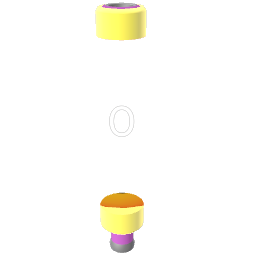
Holds a constant number. Hit the sphere or send a jolt to emit it on the output. Edit the value by clicking & dragging, or with the joystick when grabbed.
Useful to set as a constant number to be triggered in a patch.
To change the number there are 2 interaction methods that allow you to easily input any number:
- Click on the number and drag up or down to change the selected number, to change decimal, click on another decimal point on the 3D interface that pops up, and drag up or down.
- Use joystick up/down to change number of currently selected digit, and left/right to move up or down the decimal digit points.
¶ Inputs, Outputs and Parts
¶ Inputs
| Name | Type | Description |
|---|---|---|
| Trigger | Jolt Input | Any jolt received here causes the stored value to be emitted on the output (the incoming value is discarded). |
¶ Outputs
| Name | Type | Description |
|---|---|---|
| Output | Jolt Output | Emits the stored value when the sphere is hit or the Trigger input fires. |
¶ Others
| Name | Type | Description |
|---|---|---|
| Change Value | Dial | Click & drag (or use the joystick) to edit the stored value. Use the inspector to allow decimals and set min/max bounds. |
¶ Inspector Controls
| Name | Type | Description |
|---|---|---|
| Allow Decimals | checkbox | When enabled, fractional values are allowed. When off, the value snaps to integers. |
| Set Minimum | checkbox | Clamp the value to a minimum bound (revealed in the inspector when enabled). |
| Set Maximum | checkbox | Clamp the value to a maximum bound (revealed in the inspector when enabled). |