¶ Number
Category: 🎚️ Interfaces
¶ Description
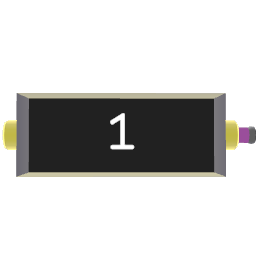
Set and instantly trigger any number from the Jolt output.
Useful as a user interface in patches and devices where various numbers are expected. Or, as a custom constant number to be triggered in a patch.
To change the number there are 2 interaction methods that allow you to easily input any number:
- Click on the number and drag up or down to change the selected number, to change decimal, click on another decimal point on the 3D interface that pops up, and drag up or down.
- Use joystick up/down to change number of currently selected digit, and left/right to move up or down the decimal digit points.
Check inspector for more settings.
¶ Inputs, Outputs and Parts
¶ Inputs
| Name | Type | Description |
|---|---|---|
| Trigger | Jolt Input | By default, triggers the currently shown number no matter what number is sent in. Behavior of the input can be changed in this block's inspector To connect another block here, click & pull on any Jolt output to create a wire and drag it here. |
¶ Outputs
| Name | Type | Description |
|---|---|---|
| Number Out | Jolt Output | Emits the current number when triggered or when the number is changed. Click & pull to generate a new Jolt wire. |
¶ Inspector Controls
| Name | Type | Description |
|---|---|---|
| Input Behaviour | dropdown | How the Trigger input behaves: 'Trigger' fires the current shown number regardless of input value, 'Set & Trigger' first sets the number to the incoming value and then fires. |
| Allow Decimals | checkbox | When disabled, the value is rounded to an integer. |
| Set Minimum | checkbox | When enabled, the value is clamped to never go below the configured minimum. |
| Set Maximum | checkbox | When enabled, the value is clamped to never go above the configured maximum. |