¶ Pad
Category: 🎚️ Interfaces
¶ Description
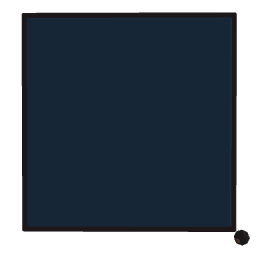
A flat resizable pad you can punch or hit with anything physical. Emits the hit velocity and the X/Y position on the pad surface (each 0-1).
Great for drum pads, virtual buttons, or game-like targets. Resize by dragging the corner handle - lock the size in the inspector once you're happy. The toggleColor jolt input swaps between a bright and dimmed look (useful as a visual feedback for hit/active state).
¶ Inputs, Outputs and Parts
¶ Inputs
| Name | Type | Description |
|---|---|---|
| Toggle color | Jolt Input | Switch the pad between bright (>0.5) and dimmed (<=0.5) appearance. Useful as visual feedback for active/inactive state. |
¶ Outputs
| Name | Type | Description |
|---|---|---|
| Velocity | Jolt Output | Emits the impact velocity (magnitude) each time the pad is hit. Use it as a 'hit' trigger or as velocity input for a drum sample. |
| Hit X | Jolt Output | Horizontal position of the hit on the pad surface, 0 (left) to 1 (right). |
| Hit Y | Jolt Output | Vertical position of the hit on the pad surface, 0 (bottom) to 1 (top). |
¶ Others
| Name | Type | Description |
|---|---|---|
| Pad surface | Hittable | The hittable area. Hit it with a controller, marble, or any physical block to fire the velocity, X and Y outputs. |
| Resize handle | Draggable part | Grab and drag to resize the pad. Hidden when 'Lock size' is enabled in the inspector. |
¶ Inspector Controls
| Name | Type | Description |
|---|---|---|
| Lock size | checkbox | When enabled, hides the resize handle so players can't change the pad's dimensions. |