¶ Tempo
Category: 🔊 Audio
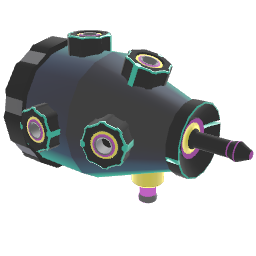
¶ Description
Outputs jolt events at musical intervals derived from the global beat (or a custom clock stream). Also outputs a normalized stream value indicating how far along we are in the current period.
Use Subdivision to set how many ticks happen per beat, Period to set how many subdivisions make up an interval (a jolt fires every Period ticks), and Offset to shift the timing. Plug a custom signal into Clock to drive the rhythm from your own source instead of the global beat.
¶ Inputs, Outputs and Parts
¶ Inputs
| Name | Type | Description |
|---|---|---|
| Offset | Jolt Input with Dial | How many beats the output event is offset in time compared to the input clock. |
| Period | Jolt Input with Dial | How many subdivisions there are per period. E.g. a value of 3 will cause an event to fire every third subdivision. |
| Subdivision | Jolt Input with Dial | How many times to divide the beat when counting a period. E.g. a value of 2 will count two times every beat. |
| Clock | Stream Input | Optional custom clock signal. When connected, drives the rhythm instead of the global beat. |
| Global Tempo | Jolt Input with Dial | Changes the global tempo (in BPM). Affects all blocks that use the global beat. |
¶ Outputs
| Name | Type | Description |
|---|---|---|
| Interval Begin | Jolt Output | Emits a jolt whenever a new subdivision starts. |