¶ Txt
Category: 🎨 Visual
¶ Description
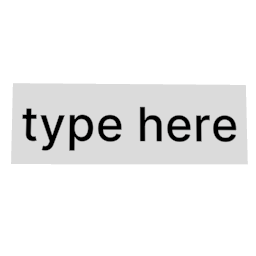
Lets you place floating text in the world. Click to edit. Configure font size, alignment, style, and layout via the inspector.
¶ Inputs, Outputs and Parts
¶ Inputs
| Name | Type | Description |
|---|---|---|
| Text input | Text Input | Click to edit. The keyboard appears and lets you type the text to display. |
¶ Inspector Controls
| Name | Type | Description |
|---|---|---|
| Background | checkbox | Show or hide a dark transparent background behind the text. |
| Custom font size | slider | Set the text size manually. Selecting this overrides the preset Font size dropdown. |
| Font size | dropdown | Choose a preset font size: Custom, Small, Normal, H3, H2, or H1. |
| Alignment | dropdown | Horizontal text alignment inside the text box. |
| Style | dropdown | Font style: Normal, Bold, or Italic. |
| Size controlled by | dropdown | 'Text content' auto-sizes the text box to fit the text; 'Handle' lets you resize the text box with the drag handle and wraps text to fit. |
| Edit text from outside | checkbox | Allows the text to be edited by players outside a group/device that contains this block. |