¶ String
Category: 🔊 Audio
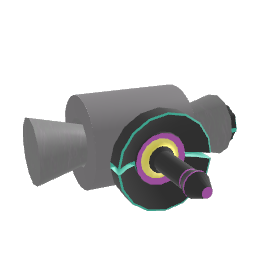
¶ Description
A physically-modeled string (like a guitar or violin string) you can strike with your controller or hit with marbles to make sound.
A digital-waveguide simulation of a vibrating string with natural, dynamic timbre. It reacts to controller hits and marbles colliding with it, and changes its sound subtly depending on where it is struck along its length. Use the Length drag handle to set the pitch (or send a MIDI note to the Pitch input), the Sustain knob to control how long it rings, and the brightness dial to color the tone. When the audio output is plugged in, the string's built-in speaker is muted.
¶ Inputs, Outputs and Parts
¶ Inputs
| Name | Type | Description |
|---|---|---|
| Sustain | Jolt Input with Dial | Controls how long the string rings out after being struck. |
| Brightness | Jolt Input with Dial | Controls the brightness/timbre of the string. Lower values are warmer and duller; higher values are brighter. |
| Pitch | Jolt Input | Send a MIDI note number (e.g. from a keyboard block) to set the pitch of the string. |
¶ Outputs
| Name | Type | Description |
|---|---|---|
| Output | Stream Output | Audio signal from the string. When connected, the string's built-in speaker is muted so you can route the sound through your own signal chain. |
¶ Others
| Name | Type | Description |
|---|---|---|
| String | Interactible | Strike the string with your controller or hit it with marbles to make sound. |
| Length | Draggable part | Press the trigger button and push/pull to change the length (and therefore pitch) of the string. |
¶ Inspector Controls
| Name | Type | Description |
|---|---|---|
| Quantize | checkbox | When enabled, marble hits on the string are quantized to the world tempo grid so they always strike on the beat. Serialization keyword: quantize |