¶ Stream Capture
Category: 🔊 Audio
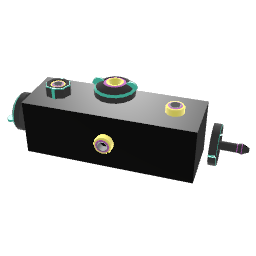
¶ Description
Records a stream into an internal buffer that you can read back via a 0-1 cursor. Captures audio rate signals at a slower rate for visualization (e.g. drive a Procedural Line) or sample-and-hold tricks.
Window size sets how long one buffer represents (in seconds). The 'Read cursor' input expects a clock going 0→1 to scan through the buffer. Modes: 0 rolling (oldest sample on the left, continuously scrolls), 1 scrolling (same but smoother), 2 paged (writes a full buffer then snaps to the next), 3 zero-cross triggered (re-aligns on zero crossings - perfect for oscilloscope-style displays). Freeze input halts capture so you can inspect the last buffer.
¶ Inputs, Outputs and Parts
¶ Inputs
| Name | Type | Description |
|---|---|---|
| Signal | Stream Input | The audio stream you wish to capture into the buffer. |
| Read cursor | Stream Input | Expects a clock going from 0 to 1. The value of the clock determines which part of the internal buffer is read and set to the stream output. |
| Window size | Jolt Input with Dial | Sets how long it should take to capture one buffer in seconds. |
| Mode | Jolt Input | Sets the capture mode. 0: rolling, 1: scrolling, 2: paged, 3: zero-cross triggered. |
| Freeze | Jolt Input | Send a 1 to disable capture and freeze the buffer, 0 to continue capturing. |
¶ Outputs
| Name | Type | Description |
|---|---|---|
| Output | Stream Output | The value of the internal buffer at the current read cursor position. |